






Step 2 / Tracking Costs
What has been claimed and what has been released?
Keep every cost related to a project or vendor in one manageable location. What is it worth? What has changed? What is owed? What has been paid?
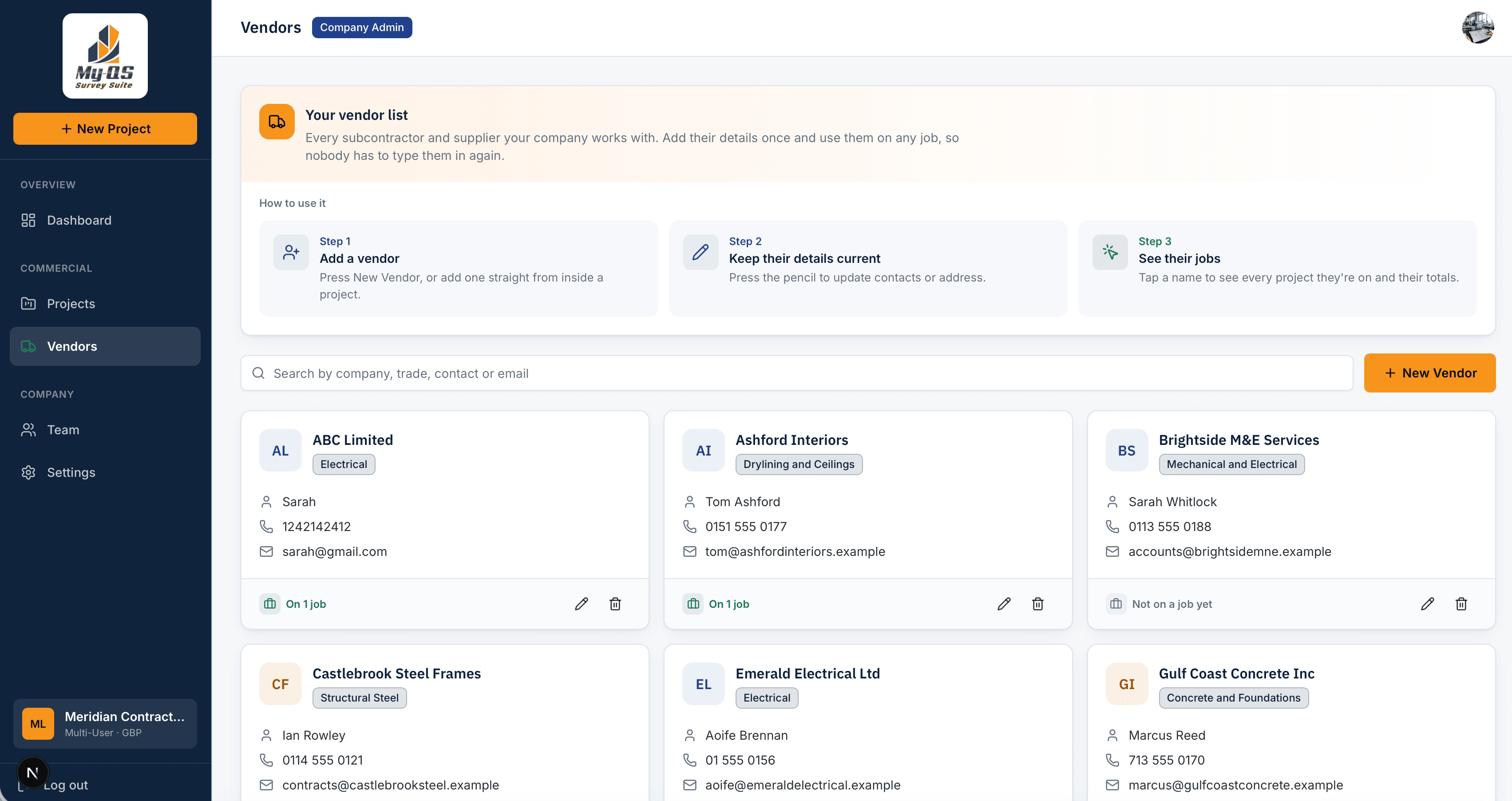
- Create a database of vendors
- Every cost is in one location
- Track changes and costs
- Traceable sign offs
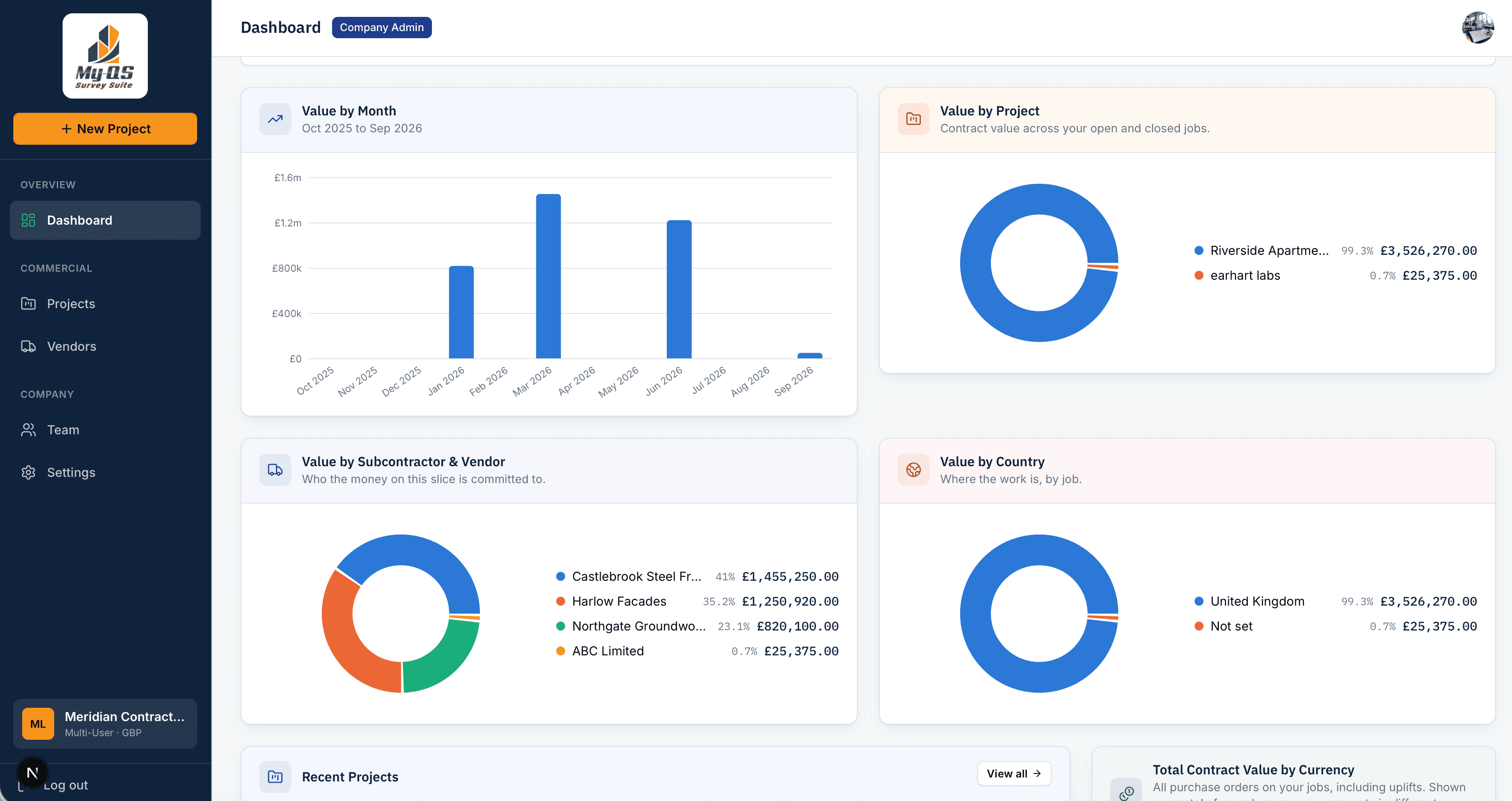
Where Survey Suite fits in a job
Multiple Currencies
manage projects in any currency
Database
of subcontractors and vendors
Approvals
set workflows and approval limits
.jpg&w=3840&q=75)
Sound familiar?
Financial management usually lives in a simple spreadsheet for each job. Not everyone can understand it or explain the costs associated.
How it helps
Keep every claim, cost, notice, purchase order, certificate in one location. See what everything is worth, what has changed and what has been approved.
What you can do
Everything Survey Suite does for you.
One list of subcontractors
Add a subcontractor once. If their details change, update them once and every job is up to date.
Every purchase order in one place.
Log each purchase order with its values. The totals add themselves up, so they are always correct.
Claims vs Approvals
Track valuations and certify payments as and when they arrive. The values summarise and calculate in real time.
Approved workflows.
Set who can approve and to what value. Exceeded values automatically move to the next person in the approval flow.
Pounds, euros and dollars
Work in more than one currency on the same job.
Break an order down
Add a list of what the price is made up of, so it can be checked later.
Valuations and payment certificates
Work out what each subcontractor has earned so far, and issue the payment certificate for it.
Registers, messages and your accounts
Keep lists of your records, send messages to clients and match what you owe to your accounts.
How it works
From first click to done, in four steps.
- 1
Set up the job
Give the job a name and a code, and say who it is for and which currency you use.
- 2
Add your subcontractors
Keep one list for the whole company. Change a detail once and it updates on every job.
- 3
Give out orders
Create an order for each subcontractor, with its price. Add a breakdown if you want one.
- 4
Record changes
When an order's price goes up or down, note it down. Bigger amounts go to the person who is allowed to approve them.
.jpg&w=3840&q=75)
Take a look inside Survey Suite
This is where you keep your orders and subcontractors, and see what you owe. Click any screen to see it bigger.
Who it’s for
Made for the people who use it every day.
Quantity Surveyors
Commercial Managers
View costs in real time, track purchase orders, variations and correspondences, without rebuilding a spreadsheet.
Directors and Finance
Commercial Managers, Finance, Directors
Choose approval limits for everyone involved, so large amounts always reach the right person.
Pricing
Everything you need, available now
Set up your company, add jobs and subcontractors, give out orders, record changes to them, work out valuations and payment certificates, invite your team and choose who approves what. Work in multiple currencies.
Per Project
One project at a time
£69/ €79 / $93 a month
Unlimited Projects
Every project you run
£99/ €115 / $133 a month

Ready to try Survey Suite?
Pick your plan and get going. Add another app whenever you need it.