






Free Bonus / Included with the My-QS Complete Suite
Who said what, when and where?
Simply activate on your phone or laptop and run your meetings as normal. Afterwards, you get complete, transcribed meeting minutes. Clear and ready to share.
- Simple to Activate
- Use anywhere
- Minutes written for you
- Easy to share
Free
included with My-QS Complete Suite
Who said what
every line shows the speaker
PDF or Word
download or email the minutes

Sound familiar?
After a site meeting, someone has to write the minutes from memory and scribbled notes. It takes hours, things get missed, and weeks later nobody agrees what was decided.
How it helps
Press record on your phone and run your meeting as normal. Afterwards you get a written record of who said what, and clear minutes ready to send.
What you can do
Everything My-QS AI Meeting Transcriber does for you.
Record on your phone
Open it on a phone, tablet or laptop and tap record. Then run the meeting as you normally would.
Made for poor signal
It saves as you go, so a dropped signal or a closed page doesn't lose your meeting. It finishes uploading when you're back online.
Who said what
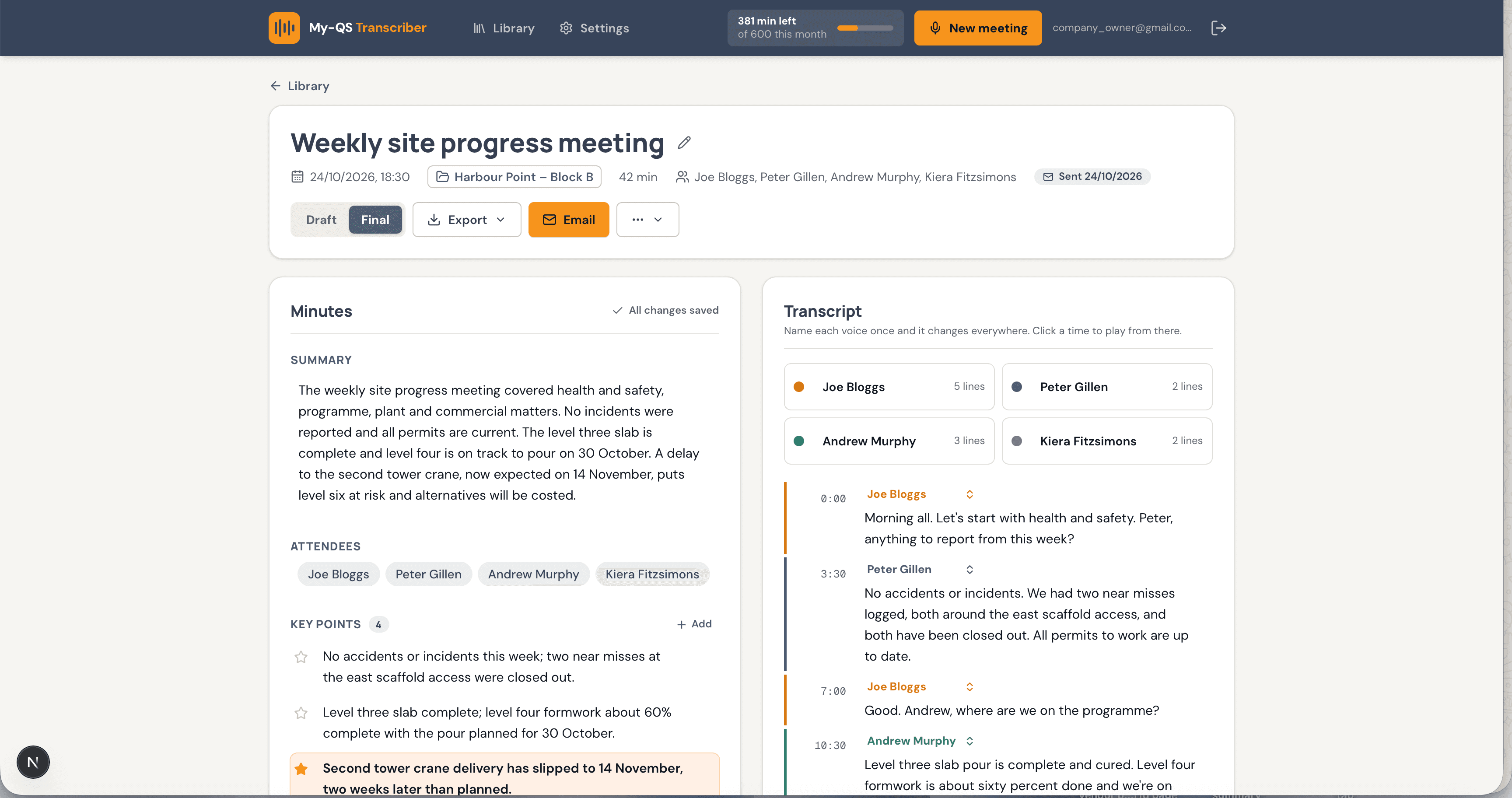
The written record separates each voice and labels them Speaker 1, Speaker 2 and so on. Rename them once and it changes everywhere.
Minutes written for you
You get a summary, key points, decisions and action items with a person and a date, laid out the same way every time. Change anything before you send.
Send them straight away
Download the minutes as a PDF or Word file with your company logo on top, or email them to everyone who was there.
Find it again, privately
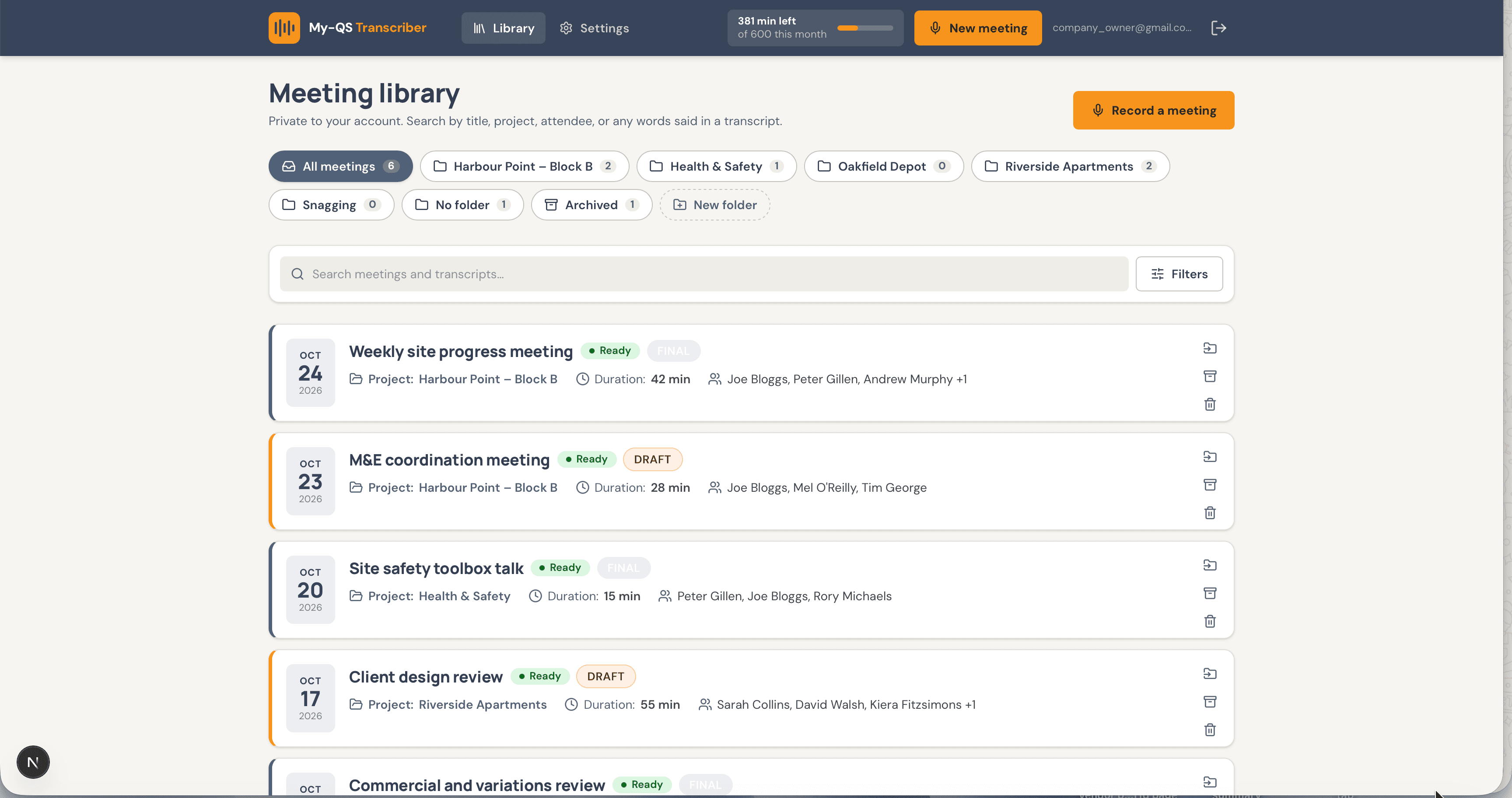
Every meeting is saved in your own library. Search by date, project, person or even a word someone said. Only you see it, unless you share it.
How it works
From first click to done, in four steps.
- 1
Set up the meeting
Add the title, date, project or site, who is coming and an agenda if you have one.
- 2
Press record
Read the quick reminder to ask for consent, then tap record. It saves every few seconds as you go.
- 3
Get your minutes
Tap stop when you're done. You get an email when the written record and draft minutes are ready.
- 4
Check and send
Fix anything that is wrong, add real names, then download the minutes or email them to everyone.
Take a look inside AI Meeting Transcriber
This is where you record a meeting, read who said what and send out the minutes. Click any screen to see it bigger.
Who it’s for
Made for the people who use it every day.

On site
Site Managers and Foremen
Record the weekly site meeting and stop writing notes by hand. Everyone gets the same minutes, the same day.
In the office
Quantity Surveyors, Project Managers and Directors
Keep a clear record of who agreed what and who owes an action, ready to point back to when it matters.
The offer
Free when you subscribe to My-QS Complete Suite
There is no monthly subscription for the AI Meeting Transcriber. It is available, and completely free, when you subscribe to the complete suite of platforms. Each month comes with an allowance of recording time, and you can always see how much you have left.

Ready to try AI Meeting Transcriber?
Pick your plan and get going. Add another app whenever you need it.