






Step 3 / While work is in progress
What changed, who did it, and what is it worth?
Changes on site cost money. Quantum Track records what happened as it happens, so nobody argues about it months later.
- A record of every change
- Detailed daily records
- Live clock in information
- Site sees the work. Management see the costs.
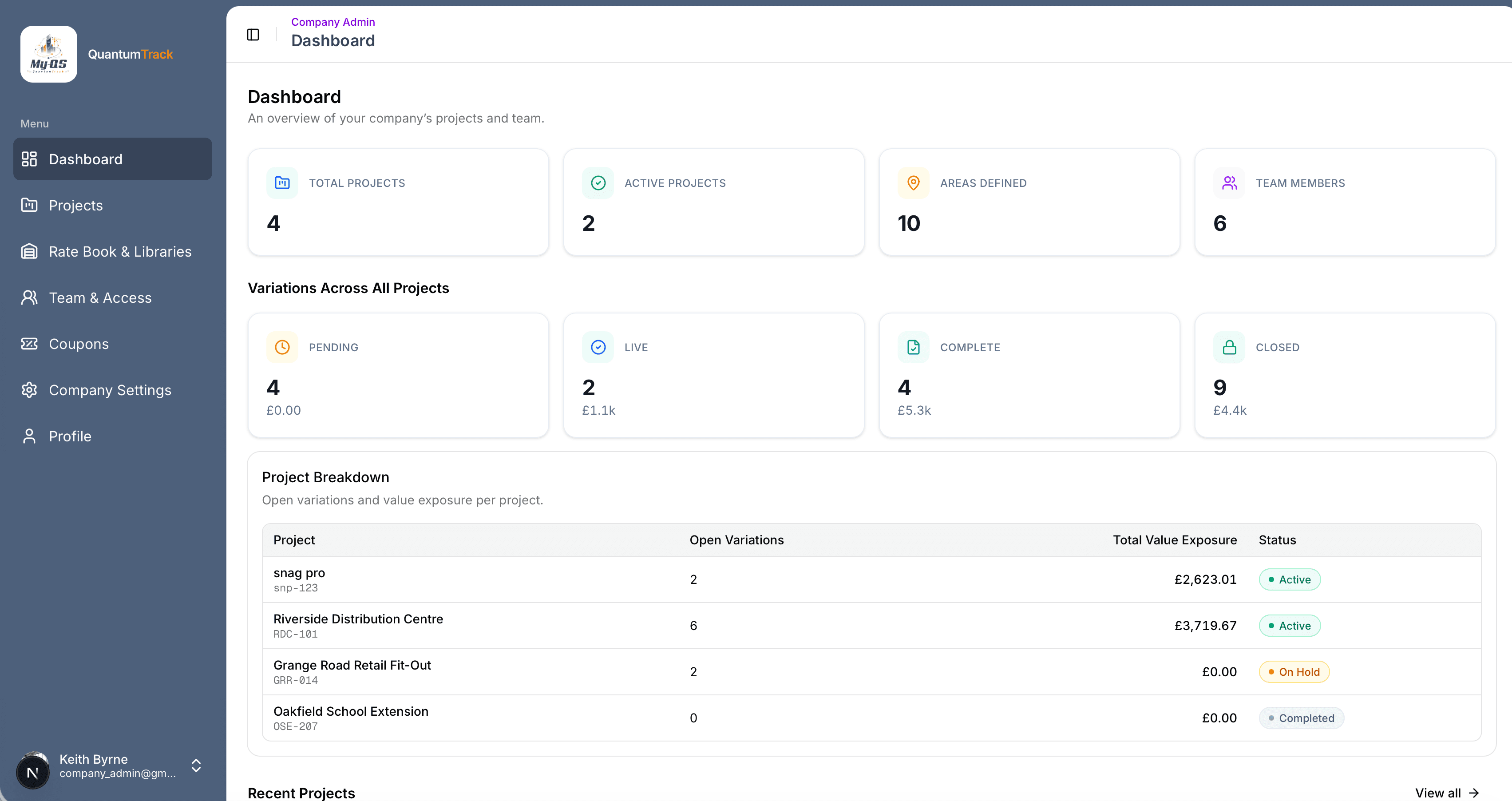
Where Quantum Track fits in a job
QR Time Tracking
scan a QR code and the time gets logged
Multiple Record Types
Variations, Queries, Instructions & more
Hidden Rates
site staff never see the costs

Sound familiar?
Work gets asked for on site and gets done. Months later everyone argues, because nobody wrote down who did what, for how long, or with what.
How it helps
Changes on site cost money. Quantum Track records what happened as it happens, so nobody argues about it months later.
What you can do
Everything Quantum Track does for you.
A record for every change
Variations (changes to the job), site instructions, queries and dayworks (work paid by the hour) each get a numbered record. Each one moves forward one step at a time.
One record per day
Each day, write down who worked, what machinery and materials were used, the weather and photos. Only the days the office approves count towards the cost.
Clock in with a phone
Put up a QR poster. Workers scan it and tap Clock In and Clock Out. Their hours go on that day's record.
Site sees the work. Office sees the money.
Workers never see rates or costs. They just log what happened, in seconds.
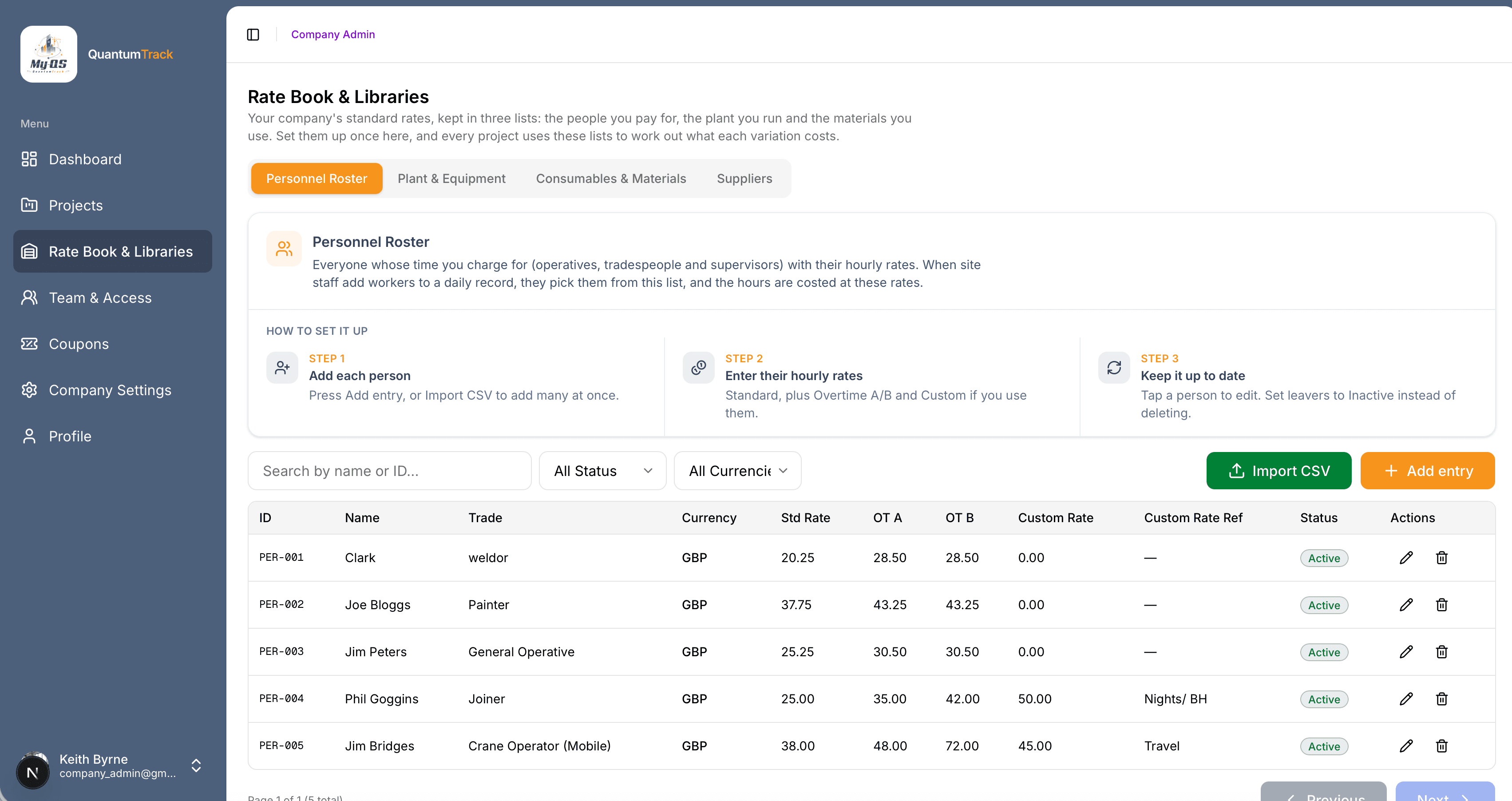
Your own price list
Set your rates once for people, machinery and materials. Every job uses them. Need a different rate on one job? Change it there.
Send it and prove it
Turn a record into a claim with the photos and hours already on it. Email it, save it, or send your client a secure link.
How it works
From first click to done, in four steps.
- 1
Log the change
Each variation, query or instruction gets its own numbered record, and moves forward one step at a time.
- 2
Clock in on site
Print the QR poster and put it up where the work is. Workers scan it and tap Clock In and Clock Out.
- 3
Log the day
Site notes who worked, what machinery and materials were used, the weather and photos. The office approves the days that count.
- 4
Send the claim
The cost is worked out from the approved days and your own rates. Turn it into a claim and email it, or share a secure link.

Take a look inside Quantum Track
This is where changes on site are written down, costed and sent as a claim. Click any screen to see it bigger.
Who it’s for
Made for the people who use it every day.

On site
Foremen, Supervisors and Operatives
Log the day on a phone in seconds, take photos and clock in by scanning a code. You never see rates or costs.

In the office
Quantity Surveyors and Commercial Managers
See what every change costs, approve the days that count and send a claim with the photos attached.
Pricing
Pay per project, or for all of them
Choose Per Project to run one job at a time, or Unlimited Projects to run every job on one subscription and see them all together. Both include every feature and unlimited team members.
Per Project
One active project at a time
£69/ €79 / $93 a month
Unlimited Projects
Every project you run
£129/ €149 / $169 a month

Ready to try Quantum Track?
Pick your plan and get going. Add another app whenever you need it.